QR code tickets for events: how they work and how to run them at the door
· 5 min read · By eventflo
Platform scanning features checked 2 October 2026 against each platform's own pages, listed under Sources at the bottom. How-to advice is general; our own product claims are limited to what is live today.
QR code tickets are now the default way into most Australian events. Every buyer gets their own code, your staff scan it, and the system tells you whether to let them in. This guide covers how QR code tickets work, the difference between a ticket QR code and an event QR code, and how to run the door.
QR code tickets: how they work
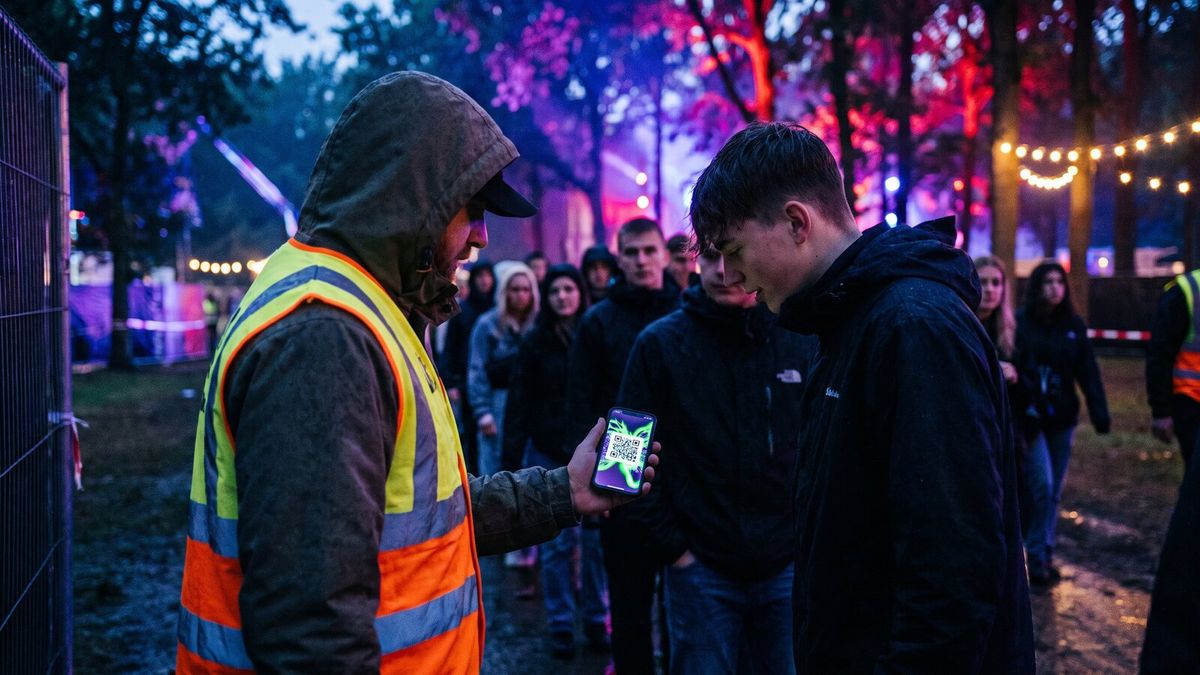
A QR code ticket is a unique code tied to one ticket in your ticketing system. When someone buys, the platform generates it and delivers it by email, an app or an account page. At the door:
- Staff scan the code with a scanner app.
- The system checks the ticket exists, belongs to this event and hasn't been used.
- It tells staff to let the person in, and marks the ticket as used.
- If the same ticket is scanned again, it's flagged as a duplicate.
Step 4 is why QR code tickets beat a printed list. Two people with the same screenshot can't both get in, provided the system is checking every scan against one record.
Event QR code vs ticket QR code
People search for "qr code for event" and mean two different things.
A ticket QR code is per buyer and used for entry. Your ticketing platform makes these. You don't generate them yourself.
An event QR code is one code for the whole event, printed on a poster, flyer or screen, and it links to your event page so punters can scan and buy. Make one with any QR generator and point it at your ticket page.
Tips for an event QR code:
- Use a tracking link. If every poster points at the same plain link, you can't tell which one sold tickets. Give each channel its own link. eventflo supports promoter tracking links with custom link codes, so you can see which promoter or placement sold what.
- Size and contrast. Dark code on a light background, big enough to scan from a metre away, with a quiet margin around it.
- Test the print. Scan the actual poster, from a phone, before you print 500.
- Say what it does. "Scan for tickets" beats a bare square.
What the platforms offer for scanning
Each platform has a scanning option. What they say on their own pages:
- Eventbrite lists an "Organizer app" and "Mobile check-in".
- Humanitix lists a "Scanning app" among its features.
- TryBooking says "Use TryBooking mobile scanning app, useful for managing the entry to your event and scanning attendees as they arrive, as well as monitoring sales in real-time and adding volunteer scanners."
- Moshtix says in its terms that it will supply the MOSHSCAN door systems equipment and software, for a fee of $250.00 including one moshcard reader.
We haven't tested these, so check what suits your door before you commit. For the full platform picture, see the best ticketing platforms in Australia.
Running the door
- Brief your staff. Everyone on the door should know what a valid, used and duplicate scan looks like, and who to call.
- Charge the devices. Bring power banks. A dead scanner is a queue.
- Plan for bad signal. Test the scanning app at the venue, at the gate, with the signal you'll actually have on the night. If you're in a paddock, plan for it before the day.
- Have a manual lookup. Dead phones, cracked screens and "I can't find it" will happen. Search by name, email or ticket ID, and make sure manual check-ins count as scans so a ticket can't be used twice.
- Separate lanes help. Pre-sold with a code, door sales, and guest list, each with their own staff.
- Tell punters early. The day before, remind them to find their ticket, turn the brightness up and not rely on screenshots that someone else has too. Good for punters, and it keeps the line moving.
Screenshots and shared tickets
The honest answer on screenshots: a screenshot of a QR code is a copy of the same code. If the system accepts only the first scan, the copy fails and the buyer who got in second turns up angry. Two ways to take the sting out:
- Give fans an official resale or transfer option. If they can pass a ticket on properly, fewer try the sketchy way. See how to stop scalpers reselling your tickets.
- Make duplicate results obvious. Staff should see when and where the first scan happened, so you can sort out who's the real holder.
QR code tickets on eventflo
On eventflo, each ticket has its own QR code, which the fan opens from their eventflo account. Your staff scan it with the eventflo scanner app, and the system checks duplicates by ticket, whether the ticket was scanned by QR or checked in by manual entry. We also have a self-service door kiosk (FloKiosk) for walk-up sales and FloMarket for official fan-to-fan resale.
Want to see the door flow before your next show? Have a chat with us. No slides. eventflo's fee is 2% of the ticket price on each paid ticket, minimum $1, maximum $5, GST inclusive, paid by the organiser; none on free tickets. Our arithmetic: a $50 ticket is 2% = $1.00.
Sources
Checked 2 October 2026.
- Eventbrite Australia pricing
- Humanitix pricing
- TryBooking: sell tickets online
- Moshtix selling terms and conditions
Frequently asked questions
How do QR code tickets work?
Each ticket carries a unique QR code. At the door, staff scan it with a scanner app, the system checks the ticket is valid and for this event, and marks it as used. A second scan of the same ticket should be flagged as a duplicate.
How do I get a QR code for my event?
There are two different things. A ticket QR code is generated per ticket by your ticketing platform when someone buys. An event QR code on a poster or flyer simply links to your event page, so punters can scan it and buy.
Can someone screenshot a QR code ticket and share it?
They can try, but a good setup only lets one scan through. The first scan marks the ticket as used and any later scan of the same ticket is flagged as a duplicate. The real risk is who got in first, so check the scan result on the night.
Do I need special equipment to scan QR code tickets?
Usually not. Eventbrite lists an organiser app with mobile check-in, Humanitix lists a scanning app, and TryBooking has a mobile scanning app. Moshtix says it supplies MOSHSCAN door systems. On eventflo, staff use the scanner app.
What if a punter's phone is dead or they can't find the ticket?
Have a manual lookup ready: search by name, email or ticket ID from your scanning app or guest list. Test it before doors open, and make sure the duplicate check applies to manual check-ins too.